Repay Clearing and Settlement Legacy Systems and Browser Compatibility
Repay Clearing and Settlement legacy systems including Merchant Entry System (MES), Holds and Reserves Entry (HREntry), and Holds and Reserves Management System (HRMS) require use of Microsoft Edge in Internet Explorer Mode and Compatibility view.
How to Enable Internet Explorer Mode in Compatibility View Using Microsoft Edge
Navigate to the login screen of the webpage you wish to use, then click on the settings menu and click "Reload in Internet Explorer Mode".
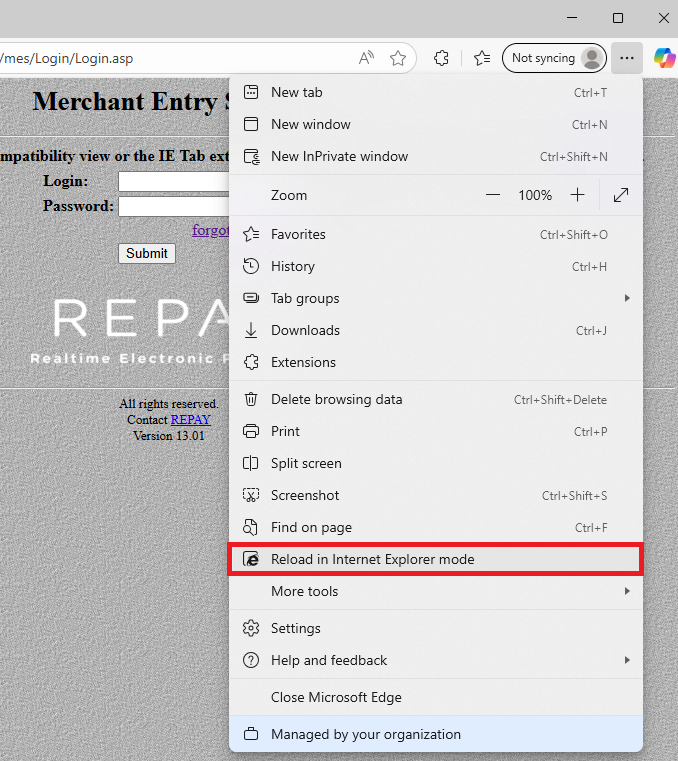
After the page reloads, click the Internet Explorer icon in the address bar and then select "Open this page in Compatibility view"
